


Welcome to the Accessibility Hub!
UC Davis Continuing and Professional Education is proud to support the University of California's commitment to providing an electronic environment that is accessible to everyone, including individuals with disabilities.
To help our colleagues and community partners create accessible training materials that are responsive to accessibility guidelines at the University, State and Federal levels, we have compiled key guidance documents into this central hub. We hope this hub helps you quickly find the resources you need to develop content that is beautiful, engaging and accessible.
General Accessibility Information and Resources
Accessibility Guidelines: University, State and Federal
- UC Davis Principles of Community
- University of California (UCOP) and Electronic Accessibility
- State Law (AB-434): State web accessibility: standard and reports.
- CDSS Accessibility Standards
- Federal: Section 508
Additional Tools and Resources
Introduction to Accessibility from UC Davis CPE
Learn more about the "why" and some of the "how" to accessibility from CPE's Learning Innovation Team
- Introduction to Accessibility
- Who Benefits From Accessible Content?
- Accessibility in CPE Courses (includes presentation from Learning Innovation Team to Instructors, Oct. 2024)
- How Do I Make My Courses and Content Accessible?
- Canvas and Accessibility
Color Contrast
Free Image Websites (Creative Commons)
CDSS: Laws Relating to Accessibility
Content Areas
Access tips, tools and full how-to demonstrations for creating accessible document in the most commonly used applications and formats.
Microsoft Word
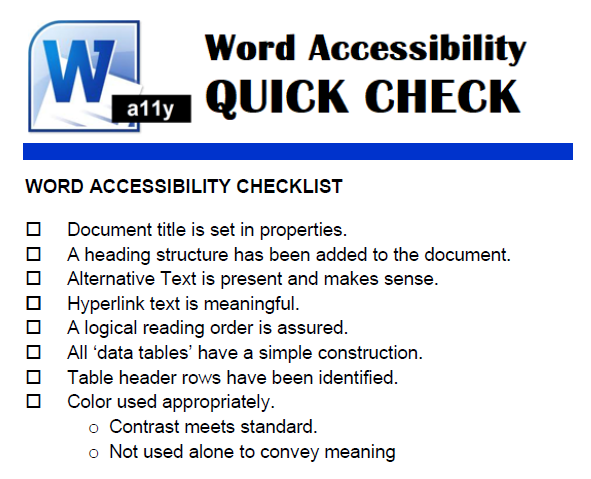
This section of the Accessibility Toolkit will look at how to create accessible documents in Microsoft Word presentations.
Templates
Sample
- Human Services Remediated Samples
- Note: Some documents in this folder are not accessible for training purposes. They are labeled in the document as such.
CDSS Microsoft Word Accessibility Tutorials
These helpful How-Tos from the California Department of Social Services provide step by step guidance on creating accessible documents. Each chapter link will open a tutorial video in a new window.
PowerPoint

This section of the Accessibility Hub for Human Services Trainers and Curriculum Developers will look at how to create accessible PowerPoint presentations.
Templates
Sample
Tips and Tools
- Color Contrast
- Free Image Websites (Creative Commons)
- Additional checklists and guides
CDSS PowerPoint Accessibility Tutorials
- Color, Font and Alt Text
- Content Placeholders and the Outline view
- Slide Titles and Logical Reading Order
- Transitions, Animation and Accessibility Testing
Adobe PDF

This section of the Accessibility Toolkit will explore how to create accessible PDF documents.
Important note: For many scenarios involving PDF, remediating for accessibility is best approached with the base document, as a PDF often serves as a point-in-time snapshot of that finished document. Remediation at the PDF stage, therefore, would not be backwards compatible to the base (Word doc or PowerPoint presentation, for example) document, should that document need updating in the future.
Sample
Guides, Tips, Tools and Practice
CDSS PDF Accessibility Tutorials
- Document Tags
- Document Title
- Document Language
- Alternative Text
- Hyperlinks
- Tables
- Color and Exporting to Word
- Lists
- Page Numbering
- Scanned Documents
- Accessibility Check
PDF Forms
This section of the Accessibility Toolkit will explore how to create accessible forms.
Guides, Tips and Practice
CDSS PDF Form Accessibility Tutorials
- Understanding Form Accessibility
- The Auditory Form
- Tagging Form Fields
- Accessibility Check
Videos and Multimedia
This section of the Accessibility Toolkit will look at how to create accessible video/multi-media files.
CDSS Tutorials for Creating Accessible Multimedia Files
- Rules for Captioning and Audio Descriptions
- Utilizing YouTube Auto-Captions
- Best Practices for Virtual Meetings
Microsoft Excel Spreadsheets

This section of the Accessibility Toolkit will explore how to create accessible Excel spreadsheets.